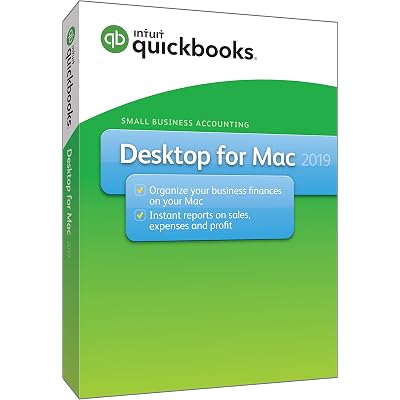
QuickBooks Desktop For Mac 2019
A high-quality and stylish addition to any wardrobe.
QuickBooks Desktop For Mac 2019

QuickBooks Desktop For Mac 2019

Nicht auf Lager
USA Vom USA Store für Sie importiert
Unsere besten Logistigpartner
  • fedex
  • dhl
A high-quality and stylish addition to any wardrobe.
U-Care-Garantie:
Keine
Wählen Sie einen Plan aus
fast shipping

Fast
Shipping

free return

Kostenlose
Rücksendung*

Sichere Verpackung

Sichere Verpackung

100 % Originalprodukte

100 % Originalprodukte

pci-dss

PCI DSS-Standards

iso certified

ISO 27001-zertifiziert


paypal payment
visa payment
mastercard payment
Note: Step Down Voltage Transformer required for using electronics products of USA store (110-120). Recommended power converters Jetzt kaufen.

Besondere Merkmale

Mac Compatibility
Designed specifically for Mac users, ensuring seamless integration with macOS features, providing a user-friendly experience that matches the native functionality of the system.
Comprehensive Invoicing
Offers advanced invoicing capabilities that allow users to customize invoices, track payments, and automate billing processes, helping businesses streamline their cash flow management.
Robust Reporting
Equipped with powerful reporting tools, enabling users to generate detailed financial reports easily, giving insights into business performance and aiding in informed decision-making.

Produktdetails

Get the latest version of QuickBooks Desktop For Mac 2019 at Ubuy Switzerland. Enjoy hassle-free accounting software for your Mac. Shop now and experience global shopping benefits.
Artikelgewicht1 lbs (450 grams)

Für wen ist das Produkt geeignet?

Suitable For
  • Kleinunternehmer

    Ideal for small businesses needing streamlined accounting tools while tracking income, expenses, and payroll effortlessly on Mac.

  • Freelancers and Consultants

    Perfect for freelancers who require simple invoicing and expense tracking functionalities to manage their finances effectively.

  • Mac-Benutzer

    Specifically designed for Mac users seeking a native application for accounting without the need for a Windows environment.

Not Suitable For
  • Larger Corporations

    Not suitable for large enterprises due to limited features compared to advanced accounting software tailored for high-scale needs.

  • Windows Users

    Not recommended for Windows users as it lacks compatibility and functionalities available in the Windows version.

  • Non-Accountants

    May not be ideal for users unfamiliar with accounting software as it has a learning curve for novices.

PRODUKTBESCHREIBUNG

QuickBooks Desktop For Mac 2019

Haben Sie eine Frage? Mit uns chatten

Kunden Fragen und Antworten

  • Frage: What are the key features of QuickBooks Desktop For Mac 2019?

    Antworten: QuickBooks Desktop For Mac 2019 offers several essential features for managing finances such as invoicing, expense tracking, and generating financial reports. It simplifies accounting tasks with a user-friendly interface designed specifically for Mac users. With tools for tracking sales and customer information, business owners can gain valuable insights into their financial health. Use it to create detailed reports and analyze your business trends, which is essential for making strategic decisions.
  • Frage: Is QuickBooks Desktop For Mac 2019 compatible with all Mac versions?

    Antworten: QuickBooks Desktop For Mac 2019 is designed to be compatible with various Mac OS versions, specifically those released in the years prior to its launch. It's essential to check your Mac’s operating system version before purchasing to ensure compatibility. Using compatible software allows you to maximize functionality and efficiency in your accounting tasks, enabling seamless performance without technical issues.
  • Frage: Can I import data from QuickBooks Online to QuickBooks Desktop For Mac 2019?

    Antworten: Yes, you can import data from QuickBooks Online to QuickBooks Desktop For Mac 2019 with some limitations. The process involves exporting your data as a backup file from QuickBooks Online and then importing that file into your Desktop version. This feature is particularly useful for businesses transitioning to a desktop solution while retaining historical data and ensuring the continuity of financial records. Always check for updates or support guides for a smooth transition.
  • Frage: Does QuickBooks Desktop For Mac 2019 support multi-currency transactions?

    Antworten: QuickBooks Desktop For Mac 2019 does not support multi-currency transactions natively, which may be a limitation for businesses dealing with international clients. If your business operates across borders, consider using workarounds or additional software that can track exchange rates and foreign currencies. This will help ensure accurate accounting and financial reporting when dealing with international transactions.
  • Frage: How do I back up my data in QuickBooks Desktop For Mac 2019?

    Antworten: Backing up your data in QuickBooks Desktop For Mac 2019 is straightforward. Simply go to the 'File' menu and select 'Back Up Company.' Choose a location to save your backup file, ensuring your data is securely stored. Regularly backing up your data protects your financial information from loss due to hardware failure or accidental deletions. Establishing a routine for backups will provide peace of mind and security for your business operations.
  • Frage: What types of businesses benefit most from using QuickBooks Desktop For Mac 2019?

    Antworten: QuickBooks Desktop For Mac 2019 is ideal for small to medium-sized businesses that require robust accounting features without needing extensive customization. Service-based businesses, freelancers, and retail operations can particularly benefit from its invoicing and expense tracking capabilities. Using QuickBooks helps streamline financial management, ensuring that business owners can focus on growth and customer service while maintaining accurate accounting records.
  • Frage: What should I do if I encounter an error while using QuickBooks Desktop For Mac 2019?

    Antworten: If you encounter an error, the first step is to consult the Help menu within the software for troubleshooting tips. You can also visit the QuickBooks support website for further assistance and community forums where other users share solutions. Staying informed about common issues can enhance your user experience, allowing you to quickly resolve problems and minimize disruptions to your financial management.
  • Frage: Can multiple users access QuickBooks Desktop For Mac 2019?

    Antworten: QuickBooks Desktop For Mac 2019 supports multi-user access, but you must purchase a license for each additional user. This feature is beneficial for businesses with multiple employees handling accounting tasks simultaneously, as it enables collaboration and improves efficiency. Setting up multiple user accounts allows staff to work on different aspects of the company’s finances without interfering with each other’s work.
  • Frage: How can I integrate other applications with QuickBooks Desktop For Mac 2019?

    Antworten: You can integrate several third-party applications with QuickBooks Desktop For Mac 2019, which enhances its functionality. Popular tools for inventory management, payroll, and CRM can be connected through APIs. This integration helps streamline workflows and improves data accuracy across platforms, making it easier to manage comprehensive business operations. Always check for compatible applications to ensure a smooth integration process.
  • Frage: Where can I buy QuickBooks Desktop For Mac 2019 [Mac Disc] in Switzerland?

    Antworten: You can buy QuickBooks Desktop For Mac 2019 [Mac Disc] on Ubuy. They offer a reliable platform for purchasing software with straightforward navigation and secure payment options. By choosing Ubuy in Switzerland, you can seamlessly order QuickBooks and benefit from their customer support, ensuring you receive assistance for your purchase needs.

Redaktionelle Rezension

Keine redaktionellen Rezensionen gefunden

Kundenbewertungen

5.0
1 Kundenbewertungen
  • 5 Sterne
    100%
  • 4 Sterne
    0%
  • 3 Sterne
    0%
  • 2 Sterne
    0%
  • 1 Sterne
    0%

Bewerten Sie dieses Produkt

Teilen Sie Ihre Meinung mit anderen Kunden

Vorteile

  • Benutzerfreundliche Oberfläche
  • Great for small businesses
  • Reliable performance
  • Comprehensive reporting tools
  • Excellent customer support

Nachteile

  • Limited features compared to newer versions.

Produktpreisverlauf

Wichtige Information

  • Einschränkungen: Für international versandte Produkte beachten Sie bitte, dass jegliche Herstellergarantie nicht gültig sein könnte; Herstellerservice-Optionen nicht verfügbar sein könnten; Produkthandbücher, Gebrauchsanleitungen und Sicherheitshinweise nicht in der Sprache des Ziellandes verfasst sein könnten; die Produkte (und Begleitmaterialien) könnten nicht im Einklang mit den Standards, Spezifizierungen und Etikettierungsvorgaben des Ziellandes entworfen sein; und die Produkte könnten nicht der Voltzahl und anderen elektrischen Standards des Ziellandes entsprechen (weshalb, falls zutreffend, die Verwendung eines Adapters oder Umwandlers erforderlich sein könnte). Der Empfänger ist dafür verantwortlich sicherzustellen, dass das Produkt legal in das Zielland importiert werden kann. Bei der Bestellung von Ubuy oder seinen Partnern ist der Empfänger der eingetragene Importeur und muss sich an alle Gesetze und Regulierungen des Ziellandes halten.
  • Nicht alle auf Ubuy aufgeführten Produkte werden zum Verkauf angeboten, da Ubuy eine globale Suchmaschine ist. Produkte unterliegen Export-/Handelsbestimmungen.


