- Page d'accueil /
- Livres /
- Ordinateurs et technologie /
- Operating Systems /
- Macintosh /
- Macintosh Terminal Pocket Guide: Prendre la C...
0 ratings

Numéro d'article:
4043342
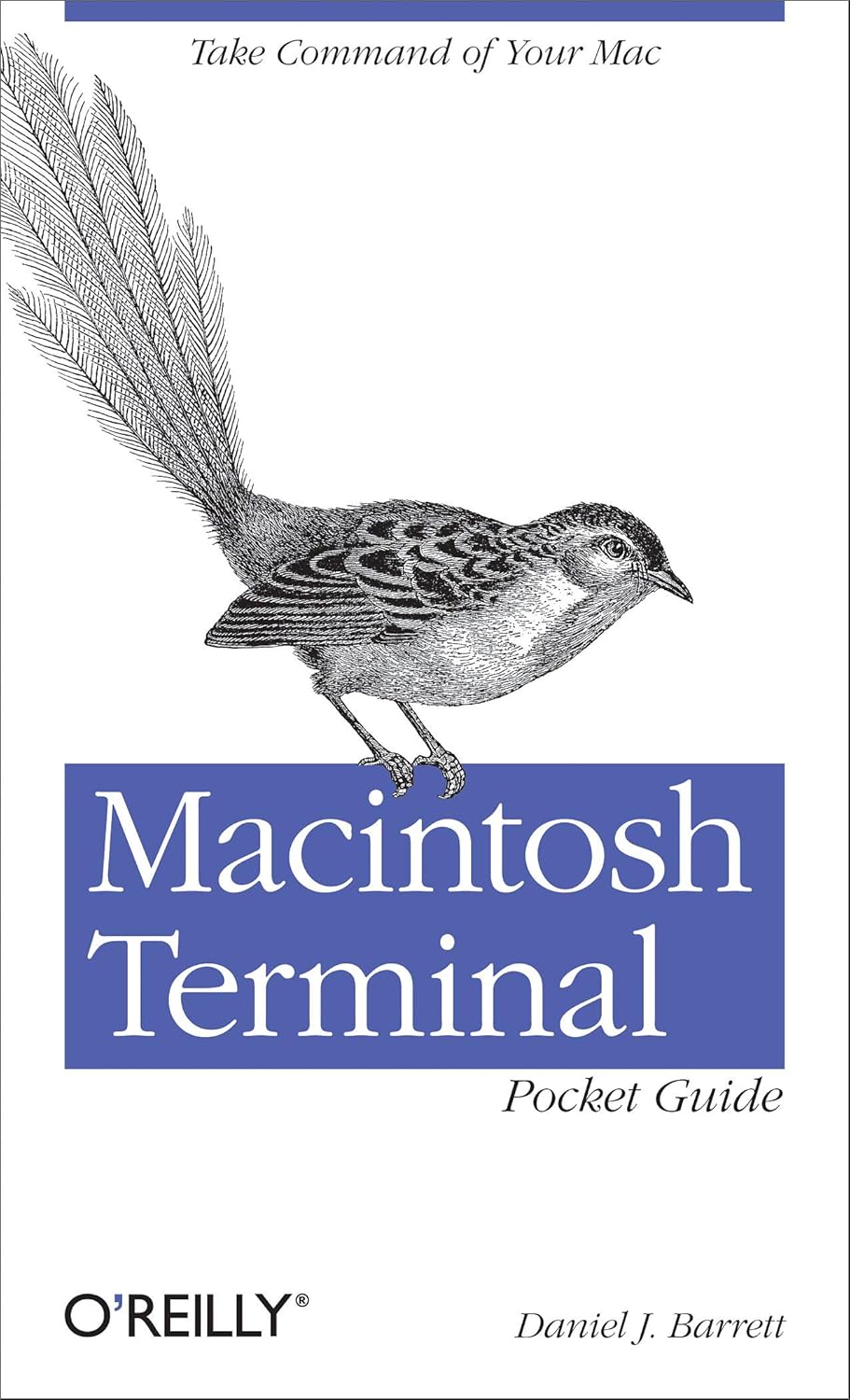
Macintosh Terminal Pocket Guide: Prendre la Commande de Votre Mac 1 ère Édition
Numéro d'article:
4043342
CHF 17
Price Details
Excluding Shipping & Custom charges ( Shipping and custom charges will be calculated on checkout )
*All items will import from États-Unis
0 ratings
Écrire un commentaire
En stock
 Importé depuis la boutique USA
QTY:
Commandez maintenant et recevez votre commande aux alentours du Mercredi, Juin 24
Transaction sécurisée
Ubuy s'engage à protéger votre sécurité et votre confidentialité. Notre système avancé de sécurité des paiements garantit la confidentialité en chiffrant vos informations lors de la transmission grâce aux protocoles AES (Advanced Encryption Standards) et SSL (Secure Socket Layer). Vos coordonnées de paiement sont 100 % sécurisées car nous ne partageons pas vos informations de paiement avec des vendeurs tiers.
nos meilleurs partenaires logistiques


Déverrouillez les secrets du Terminal et découvrez comment cet outil puissant résout les problèmes que le Finder ne peut pas gérer.

Livraison
rapide

Retour
gratuit*

Emballage sécurisé

Produits 100 % originaux

Conformité PCI DSS

Certifié ISO 27001


Note: Step Down Voltage Transformer required for using electronics products of États-Unis store (110-120). Recommended power converters Acheter maintenant.


Ce qui se démarque
Une ressource complète
Ce guide offre une couverture exhaustive des commandes et des fonctions, permettant aux utilisateurs de maximiser leur productivité en naviguant et en contrôlant efficacement leur Mac via le terminal.
Format convivial
Conçu pour tous les niveaux de compétence, ce guide de poche décompose des concepts complexes en sections faciles à digérer, le rendant accessible aux débutants tout en restant précieux pour les utilisateurs chevronnés qui recherchent une référence rapide.
Des exemples pratiques
Comprend des scénarios et des commandes du monde réel, permettant aux utilisateurs d'appliquer leurs connaissances immédiatement, améliorant l'apprentissage et garantissant qu'ils peuvent accomplir les tâches quotidiennes directement via le terminal.
Détails du produit
| Poids de l'article | 0,5 livres (230 grammes) |
À qui est-ce destiné ?

-
Utilisateurs débutants
Idéal pour ceux qui débutent sur Mac, offrant des commandes et des concepts faciles à comprendre pour naviguer dans le terminal.
-
Passionnés de technologie
Idéal pour les utilisateurs cherchant à améliorer leurs compétences et à utiliser efficacement les fonctionnalités avancées du terminal Mac.
-
Développeurs
Utile pour les programmeurs ayant besoin de références rapides pour les commandes et l'utilisation du terminal afin de rationaliser les processus de développement.

-
Utilisateurs occasionnels
Ne convient pas aux utilisateurs qui ne prévoient pas d'interagir avec les commandes du terminal, car cela peut s'avérer inutile.
-
Débutants complets
Cela ne profitera peut-être pas du tout à ceux qui n’ont aucune formation technique ni aucun intérêt pour les interfaces de ligne de commande.
-
Apprenants visuels
Les personnes qui préfèrent les guides visuels ou les didacticiels peuvent trouver le format riche en texte moins engageant ou utile.
DESCRIPTION DU PRODUIT
Macintosh Terminal Pocket Guide: Prendre la Commande de Votre Mac 1 ère Édition
About This Item
Introducing the Macintosh Terminal Pocket Guide: Take Command of Your Mac 1st Edition, a comprehensive resource for Mac command line instructions and a must-have Macintosh user guide for beginners and advanced users alike. This pocket-sized guide is your go-to reference for Macintosh terminal basics, with a comprehensive list of Macintosh terminal commands and a handy cheat sheet for quick and easy access. Whether you're a seasoned Mac user or just getting started, this Macintosh terminal guide empowers you to unlock the full potential of your Mac with confidence.
Get command of your Macintosh today with the Macintosh Terminal Pocket Guide.
Vous avez une question ? Chattez avec nous
Questions et réponses des clients
-
question:
What topics are covered in the Macintosh Terminal Pocket Guide?
répondre: The Macintosh Terminal Pocket Guide delves into a range of topics including terminal commands, shell scripting, and file management. It explains essential commands useful for both novice and seasoned users. This guide is ideal for anyone looking to enhance their command line skills, automate tasks, and better manage system processes on their Mac. For instance, if you want to efficiently navigate directories or execute batch commands, this guide provides practical examples and explanations. -
question:
Is the Macintosh Terminal Pocket Guide suitable for beginners?
répondre: Absolutely! The guide is designed to cater to users with varying levels of expertise. Beginners benefit from clear explanations of basic commands and an introduction to the terminal's functionality. Even if you're entirely new to Mac OS, you will find this resource incredibly useful for gaining confidence in command line usage. Many users have successfully moved from basic operations to more advanced scripting after utilizing the information provided in the guide. -
question:
How can I improve my command-line skills using this guide?
répondre: By actively engaging with the examples and exercises outlined in the Macintosh Terminal Pocket Guide, you can significantly enhance your command-line skills. The guide provides practical tasks that encourage you to apply what you’ve learned in real situations, such as scripting repetitive tasks or troubleshooting common issues. Regular practice with these real-world applications will help reinforce your understanding and proficiency over time. -
question:
Can the Macintosh Terminal Pocket Guide help with troubleshooting?
répondre: Yes, the guide includes tips and commands specifically aimed at troubleshooting common issues within the Mac environment. By learning how to use terminal commands for diagnostics, you’ll be better equipped to identify and resolve problems efficiently. For example, if you encounter system errors or need to manage disk space, the guide explains commands that help you access relevant system information and logs. -
question:
Does the guide include examples for automation?
répondre: Indeed, the Macintosh Terminal Pocket Guide covers automation through shell scripting examples. It demonstrates how to write scripts that can automate repetitive tasks on your Mac, saving you time and effort. For users who frequently perform similar operations, learning these automations can drastically improve workflow efficiency. The guide elucidates scenarios where automation can be applied, making it relatable and practical. -
question:
What is the best way to read and use the guide?
répondre: The best approach to using the Macintosh Terminal Pocket Guide is to first familiarize yourself with the table of contents and prioritize sections that align with your immediate needs. Reading actively while practicing commands in the terminal will solidify your learning. Incorporating the guide into your daily tasks fosters a hands-on understanding that enhances retention of the material. -
question:
Are there any prerequisites for using the Macintosh Terminal Pocket Guide?
répondre: While there are no strict prerequisites, a basic understanding of computer operations will be beneficial. Familiarity with Mac OS environment and general computing will help you better grasp the content. If you have never used a command line before, don’t worry—this guide starts from the fundamentals and builds your knowledge progressively. -
question:
Is the guide updated for the latest Mac OS version?
répondre: The Macintosh Terminal Pocket Guide is relevant to the latest Mac OS versions, including all standard terminal commands and features. It reflects current practices within the Mac ecosystem, ensuring users can apply the guidance effectively to their modern setups. As the Mac OS evolves, core terminal concepts remain significant, and this guide aligns with those enduring tools so you remain effective, no matter the version. -
question:
Who would benefit the most from this guide?
répondre: Professionals, students, and tech enthusiasts can greatly benefit from the Macintosh Terminal Pocket Guide. It’s particularly useful for software developers, system administrators, and users looking to delve deeper into their Mac systems. Whether you want to improve your efficiency in a tech job or simply wish to explore your Mac’s potential, the guide serves as a valuable resource. -
question:
Where can I buy the Macintosh Terminal Pocket Guide: Take Command of Your Mac 1st Edition?
répondre: You can purchase the Macintosh Terminal Pocket Guide: Take Command of Your Mac 1st Edition from Ubuy in Switzerland. Ubuy offers a seamless shopping experience with plenty of options for acquiring this essential guide tailored for Mac users. With convenient navigation, you can easily find and order the book, giving you access to elevate your command-line skills.
Macintosh Editorial Review
The *Macintosh Terminal Pocket Guide: Take Command of Your Mac* has garnered a positive reception from users, particularly among those who are new to the Mac operating system or looking to deepen their understanding of its Unix foundations. Many reviewers appreciate the book's accessibility and practical approach; it is lauded for its clear layout, well-organized content, and the effective use of typefaces and shading, which enhances readability. Users feel that the guide serves as a valuable introduction to Unix commands, making the terminal less intimidating for those who might have previously been hesitant to explore its capabilities. The author, Daniel Barrett, is praised for his engaging writing style and the practical tips he provides, such as modifying commands for safety. Reviewers have noted that while the book may not encompass every command or detail a user might want, it effectively covers essential information and is a handy resource for both beginners and more seasoned users looking to work more efficiently. Many found it particularly useful as a quick reference tool and some users even opted to purchase both the e-book and print editions for convenience. The guide has not only helped users feel more at ease with performing tasks via the command line, but it has also shown them how to accomplish tasks more swiftly than through conventional graphical user interface (GUI) methods. Overall, the *Macintosh Terminal Pocket Guide* is recommended for anyone who wants to learn about or improve their terminal skills on a Mac, making it a solid addition to an admin's toolkit or a beginner's library. **
Avis et évaluations clients
1 évaluations des clients
-
5 étoile
100%
-
4 étoile
0%
-
3 étoile
0%
-
2 étoile
0%
-
1 étoile
0%
Donnez votre avis sur ce produit
Partagez votre avis avec d'autres clients
Avantages
- Clear and accessible writing style
- Practical tips and best practices
- Well-organized layout with good readability
- Useful for both beginners and advanced users
- Effective as a quick reference guide
- Helps users explore the terminal without fear of damaging the system
Les inconvénients
- Not as comprehensive as some users may desire
Historique des prix du produit
Informations importantes
- Limitations : Pour les produits expédiés à l'international, veuillez noter que toute garantie du fabricant peut ne pas être valide ; les options de service du fabricant peuvent ne pas être disponibles ; les manuels, instructions et avertissements de sécurité des produits peuvent ne pas être dans les langues du pays de destination ; les produits (et les matériaux qui les accompagnent) peuvent ne pas être conçus conformément aux normes, spécifications et exigences d'étiquetage du pays de destination ; et les produits peuvent ne pas être conformes à la tension et aux autres normes électriques du pays de destination (nécessitant l'utilisation d'un adaptateur ou d'un convertisseur le cas échéant). Il incombe au destinataire de s'assurer que le produit peut être importé légalement dans le pays de destination. En cas de commande auprès d'Ubuy ou de ses filiales, le destinataire est l'importateur officiel et doit se conformer à toutes les lois et réglementations du pays de destination.
- Tous les produits listés sur Ubuy ne sont pas à vendre, Ubuy étant un moteur de recherche mondial. Les produits sont soumis aux réglementations en matière d'exportation et de commerce.
CHF 17
Commandez maintenant et recevez votre commande aux alentours du Mercredi, Juin 24
This item is not restrict in my country.(Please click on above link if this item is not restrict in your country, So our team will review and allow.)
QTY:
Transaction sécurisée
Ubuy s'engage à protéger votre sécurité et votre confidentialité. Notre système avancé de sécurité des paiements garantit la confidentialité en chiffrant vos informations lors de la transmission grâce aux protocoles AES (Advanced Encryption Standards) et SSL (Secure Socket Layer). Vos coordonnées de paiement sont 100 % sécurisées car nous ne partageons pas vos informations de paiement avec des vendeurs tiers.
nos meilleurs partenaires logistiques
Livraison transfrontalière la plus rapide
Caractéristiques et avantages
- Apprendre les commandes pour une variété de tâches
- Connectez-vous à votre Mac à partir d'emplacements distants
- Rechercher et modifier des fichiers de manière puissante
- Planifiez des emplois pour des jours et des heures particuliers
- Combinez plusieurs commandes pour effectuer des opérations complexes
- Téléchargez et installez des commandes supplémentaires à partir d'Internet